Understanding 3D Rose SVG: From Concept to Creative Application
When you first encounter the term 3D Rose SVG, it might seem like a contradiction. Scalable Vector Graphics (SVG) are inherently two-dimensional—they describe shapes using mathematical paths, not pixels. Yet a well-crafted 3D Rose SVG can trick the eye into seeing depth, curvature, and even light reflecting off velvet petals. This article unpacks what 3D Rose SVG really means, why it matters, and how you can use it in your own projects, whether you are a designer, hobbyist, or business owner looking to elevate your visual content.
What Is a 3D Rose SVG?
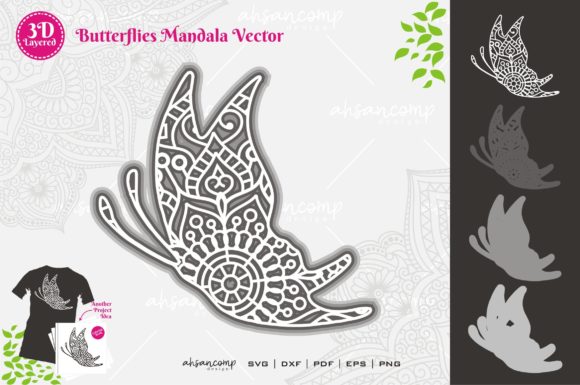
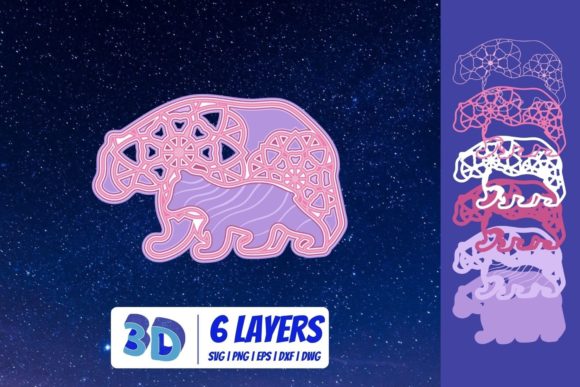
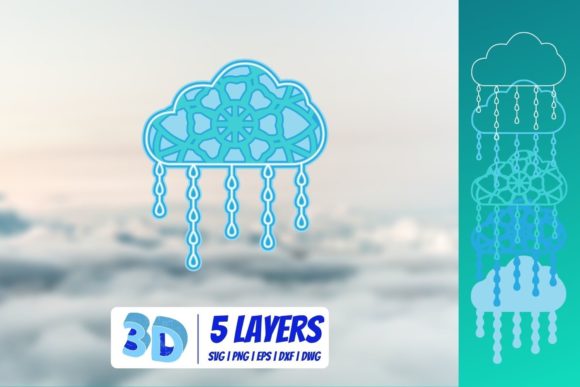
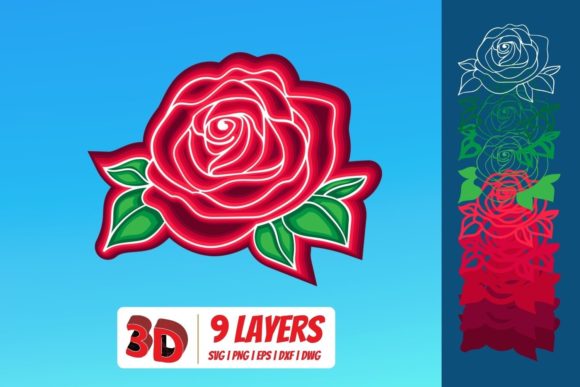
At its core, a 3D Rose SVG is a vector file that uses layered shapes, gradients, and strategic shading to simulate three-dimensional form. Unlike a photograph of a real rose, an SVG file remains resolution-independent—it can scale to any size without losing crispness. The "3D" effect comes entirely from visual illusion: overlapping petals with varying opacities, radial gradients that mimic light hitting a curved surface, and careful arrangement of highlights and shadows.
A true 3D Rose SVG is not a 3D model (like an OBJ or STL file) that you rotate in space. Instead, it is a fixed 2D representation designed to look dimensional. Think of it as a hyper-realistic drawing made with code rather than pencil. The result is a lightweight, endlessly scalable graphic that loads fast on websites, prints cleanly on merchandise, and integrates seamlessly into digital workflows.
Why the 3D Effect Matters in Vector Design
Designers and content creators gravitate toward 3D Rose SVG files for several practical reasons. First, they offer visual impact without the overhead of actual 3D assets. A photorealistic 3D render might require heavy software, long render times, and significant storage. An SVG, by contrast, is pure text—a few kilobytes that any browser can draw instantly.
Second, the rose is one of the most emotionally resonant symbols in visual culture. It represents love, beauty, passion, and even secrecy. Adding a 3D effect amplifies that emotional pull. The illusion of depth makes the rose feel tangible, almost touchable, which increases engagement in everything from greeting cards to e-commerce product images.
Third, the scalability of SVG means that a single 3D Rose SVG file works equally well as a tiny icon on a mobile app, a full-page hero image on a desktop website, or a large-format print on a poster. No pixelation, no blurriness, no need to export multiple resolutions.
How 3D Rose SVG Fits into Modern Creative Workflows
The versatility of 3D Rose SVG makes it relevant across many fields:
- Web design – Use a 3D rose as a call-to-action embellishment, a background motif, or a loading animation element. Because SVG supports CSS and JavaScript, you can add hover effects, rotation, or color changes.
- Graphic design – Incorporate the rose into logos, business cards, invitations, and social media graphics. The 3D look adds a premium feel without requiring photography skills.
- Print-on-demand – Sellers on platforms like Redbubble, Teespring, or Etsy can upload 3D Rose SVG designs for t-shirts, mugs, phone cases, and wall art. The vector format ensures crisp prints at any size.
- Digital art and NFTs – Artists create layered SVG roses as standalone digital art or as part of larger compositions. The 3D style appeals to collectors looking for modern, clean aesthetics.
- Education and tutorials – Teachers and content creators use 3D Rose SVG examples to explain vector graphics, gradient theory, and optical illusion in design.
In each of these cases, the 3D rose serves as a bridge between realistic imagery and the technical efficiency of vector graphics. It gives you the best of both worlds: the emotional resonance of a photograph and the technical flexibility of code.
How a 3D Rose SVG Is Actually Built
Understanding the construction of a 3D Rose SVG helps you appreciate its design and troubleshoot issues if you ever edit one. Most 3D rose SVGs follow a similar structure:
- Base layers – The outermost petals form the silhouette. These are usually darker and less detailed, creating a frame for the inner layers.
- Mid layers – These petals overlap and curve inward. Designers use radial gradients with multiple stops to simulate rounded forms. A gradient that transitions from dark red to bright red to white, for example, suggests a petal curving toward a light source.
- Inner layers – The tight center of the rose uses smaller, more numerous shapes. These layers often have the highest contrast and sharpest highlights, drawing the viewer's eye to the core.
- Shadows and highlights – Semi-transparent black shapes add depth where petals overlap. White or light-colored shapes with soft opacity create specular highlights, mimicking glossy petal surfaces.
- Stem and leaves – If included, these elements use linear gradients and curved paths to maintain the 3D illusion consistently across the whole composition.
Good 3D Rose SVG files often employ a technique called "gradient mesh" or at least multi-stop radial gradients. The more gradient stops you use, the smoother the illusion of curvature becomes. Some advanced designs also use SVG filters like feGaussianBlur to soften edges and feDropShadow to cast realistic shadows between layers.
Common Misunderstandings About 3D Rose SVG
Several misconceptions persist around this topic. Let me clarify them:
Misunderstanding 1: "3D SVG means it's a 3D model I can rotate."
No. SVG is a 2D format. A 3D Rose SVG is a 2D image designed to look 3D. You cannot orbit around it or view it from different angles. If you need a rotatable 3D rose, you want a 3D model format, not SVG.
Misunderstanding 2: "SVGs can't look photorealistic."
They can, within limits. While an SVG cannot reproduce the random texture of real rose petals (like fuzz or tiny bumps), it can simulate smooth, curved, reflecting surfaces extremely well. The best 3D Rose SVGs are stunningly realistic at normal viewing sizes.
Misunderstanding 3: "Creating a 3D Rose SVG requires programming skills."
Not necessarily. While you can code an SVG by hand, most designers use vector editing software like Adobe Illustrator, Inkscape, or Affinity Designer. These tools let you draw the rose visually and export it as SVG. The code is generated for you. Understanding SVG syntax helps with optimization but is not required for creation.
Misunderstanding 4: "3D Rose SVGs are too complex to use on websites."
Actually, they are often simpler than JPEG or PNG equivalents. A vector rose might be 20 KB, while a similarly-sized JPEG could be 200 KB. And because SVG is resolution-independent, you only need one file, not multiple versions for different screen densities.
Practical Examples to Build Understanding
Let me walk through three concrete scenarios where 3D Rose SVG makes a tangible difference:
Example 1: A Wedding Invitation Suite
Imagine designing a wedding invitation. You want a rose motif that looks elegant and romantic. A 3D Rose SVG allows you to place a single detailed rose on the cover. Because it's a vector, you can scale it down for the RSVP card and up for the welcome sign without losing quality. You can also change its color in seconds—swap deep crimson for blush pink or ivory—to match the wedding palette. No photo shoot needed, no stock image licensing fees.
Example 2: An E-commerce Product Badge
A skincare brand wants to highlight a "Rose Extract" line. They use a 3D Rose SVG as a badge on product thumbnails. The 3D effect makes the badge pop on the page, increasing click-through rates. Since SVG supports transparency, the badge layers seamlessly over product photos. The small file size keeps page load speeds fast, which helps with SEO and conversion.
Example 3: A Mobile App Icon
A dating app uses a minimalist 3D rose as its icon. At small sizes, the gradient shading still conveys depth, making the icon recognizable and premium-looking. Because SVG adapts to any screen resolution, the icon looks sharp on both old phones and the latest Retina displays.
Where to Find and How to Create 3D Rose SVGs
If you want to find a 3D Rose SVG, several resources exist:
- Free repositories – Sites like SVGRepo, FreeSVG, and Vecteezy offer free 3D rose vectors, though quality varies. Check licenses for commercial use.
- Premium marketplaces – Envato Elements, Creative Market, and Etsy have high-quality, professionally designed 3D Rose SVG sets. These often include multiple angles, colors, and styles.
- Custom creation – If you have specific requirements, hiring a vector illustrator on platforms like Fiverr or 99designs can yield a bespoke 3D rose in SVG format.
If you want to create your own, here is a simplified workflow:
- Open your vector editor and set up a square artboard (e.g., 800×800 px).
- Draw the outermost petals using the Pen tool. Use curved paths and keep them simple.
- Apply a radial gradient to each petal. Set the lightest color near the center of the rose and the darkest at the edges.
- Duplicate and scale petals inward, rotating each slightly. Adjust gradient stops to simulate deeper shadows.
- Add a central cluster of small, tight shapes for the bud. Use the highest contrast here.
- Overlay semi-transparent black shapes for shadows between petals and white shapes for highlights.
- Export as SVG. Optimize the code using a tool like SVGO to remove unnecessary metadata.
Even a beginner can produce a passable 3D rose in an hour or two. With practice, you can create photorealistic results.
Why 3D Rose SVG Aligns with Modern Design Principles
Modern design values efficiency, scalability, and visual richness. The 3D Rose SVG delivers on all three. It is efficient because it uses compact vector code instead of bulky raster images. It is scalable because it looks perfect at any size. And it is visually rich because the 3D illusion adds depth and realism that flat vectors lack.
Moreover, the 3D Rose SVG fits the trend toward simplified realism. Unlike hyper-detailed photographs that can feel cluttered, a vector rose simplifies the subject to its essence—curves, light, and color—while still feeling natural and organic. This balance appeals to contemporary audiences who appreciate clean, modern aesthetics with a touch of warmth.
Final Thoughts: Beyond the Hype
3D Rose SVG is more than a novelty. It is a practical, versatile asset that solves real problems in design, web development, printing, and digital art. By understanding what it is—and what it is not—you can use it effectively and avoid common pitfalls.
Whether you are a seasoned designer looking to expand your toolkit or a business owner seeking cohesive, high-quality visuals, the 3D Rose SVG deserves a place in your workflow. Its combination of emotional appeal, technical elegance, and practical flexibility makes it a standout choice in a crowded visual landscape. And because SVG is an open, web-standard format, your 3D rose will remain usable and beautiful for years to come, regardless of how software trends shift.
So next time you see a rose that looks too perfect to be real, check if it is a vector. It just might be a 3D Rose SVG—proof that depth does not always require a third dimension.