Tall Box Packaging 3D Mockup Bundle: A Practical Look at How Creators and Businesses Use It Daily
If you have ever tried to photograph a tall product box for an online store, a social media post, or a brand presentation, you already know the struggle. You need perfect lighting, a clean background, the right angle, and enough time to shoot, edit, and retouch each shot. Now imagine doing that for ten different products or ten different box sizes. That is exactly the kind of situation where a tall box packaging 3D mockup bundle starts to feel less like a nice extra and more like a practical everyday tool.
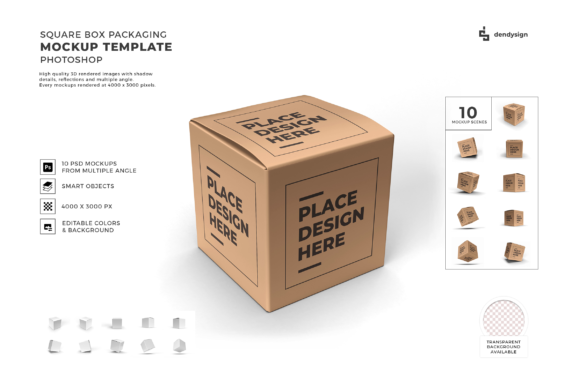
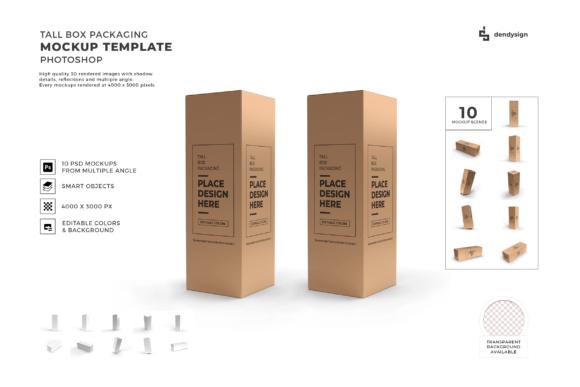
At its simplest, this bundle is a collection of pre-built digital files that let you place your own packaging design onto realistic 3D box models. You are not taking a photo. You are not building a 3D scene from scratch. You are opening a file, dropping your artwork onto a smart layer, and getting a finished product shot in minutes. The key word here is practical. This is not about flashy effects or cinematic renders. It is about getting usable, professional results without the usual overhead.
Where Tall Box Mockups Fit Into Real Workflows
Tall boxes are everywhere once you start noticing them. Candle packaging, premium tea tins, perfume boxes, supplement bottles, skincare tubes, subscription box inserts, gift sets, and even certain food products all tend to use taller formats. Standard square or rectangle mockups often fail to show the full height or the vertical layout of these packages. A tall box mockup solves that problem directly.
Consider someone selling handmade soy candles. The box is narrow and tall because the candle itself is usually in a cylinder or tumbler. That height matters when you are showing the label, the branding stripe, and the product name stacked vertically. A regular mockup might crop half of that information or force you to use a smaller image. With a tall box mockup, you get a canvas that matches the actual proportions of your product.
The same logic applies to supplement brands. Protein powder tubs, vitamin bottles, and herbal tinctures often come in tall containers. When you are building an Amazon listing or a brand website, the packaging image needs to communicate scale and vertical orientation. A tall box mockup lets potential customers see exactly what they are getting, which reduces confusion and returns.
E-commerce product listings and marketplaces
Online sellers are probably the most frequent users of these mockups. Whether you sell on Etsy, Shopify, Amazon, or your own site, product images determine whether someone clicks or scrolls past. A tall box mockup allows you to create multiple angles of the same package quickly. You can show the front, a slight side view, and even a scene setting where the box sits next to complementary items. The bundle format matters here because you get several variations. One file might show the box closed. Another might show it slightly open. A third might include a shadow or reflection that makes the image feel more grounded.
For someone launching a subscription box service, tall packaging is common because boxes often hold multiple items stacked vertically. Using a mockup bundle, you can test different color schemes, logo placements, and material finishes before ordering a single physical box. That alone saves weeks of back and forth with a printer.
Social media content and brand building
Instagram, Pinterest, and TikTok are visual platforms where packaging often becomes part of the content itself. A tall box mockup lets you create flat lay style images, angled hero shots, or even mock lifestyle photos where the box appears on a desk, countertop, or shelf. You are not limited to a plain studio background. Many mockup bundles include smart objects that let you change the environment, lighting, or surface texture.
A skincare brand, for example, might want to show their tall serum box on a bathroom shelf next to a plant and a towel. Instead of staging that photo, they can use a mockup scene that already has the setting built. They just drop their artwork into the box template, and the rest of the scene stays intact. That means consistent branding across every post without constant photoshoots.
Pitch decks and client presentations
Freelance designers and packaging agencies use tall box mockups to present concepts to clients. A client rarely visualizes a packaging design from a flat dieline. They need to see the box in three dimensions, with lighting and shadows that make it feel real. A mockup bundle gives the designer the ability to show multiple options side by side without printing prototypes.
For educators teaching packaging design or brand strategy, these mockups serve as classroom tools. Students can apply their own label designs to realistic tall boxes and see how typography, color, and hierarchy work in a 3D context. That hands-on experience reinforces lessons about layout and proportion better than any lecture.
How Different Users Benefit in Specific Ways
Not everyone uses a tall box mockup bundle the same way. A small business owner and a marketing manager at a mid-size company have different priorities, even if they both end up using the same file.
Small business owners often value speed and low cost. They cannot afford a professional photoshoot every time they launch a new product. A mockup bundle gives them a library of scenes they can reuse. They change the artwork, export the image, and list the product. Over time, the bundle pays for itself in saved photographer fees and studio rental costs. The practical outcome is not just better images, but faster product launches.
Marketers and brand managers care more about consistency. If a brand has five tall products in its lineup, each one needs to look like it belongs to the same family. A mockup bundle with consistent lighting, camera angles, and environments ensures that every product image matches. That uniformity builds brand recognition. Customers scrolling through a website see the same visual style and associate it with quality.
Bloggers and content creators who review products or unbox items use mockups for thumbnails and featured images. Instead of waiting for a physical sample to arrive, they can create a realistic mockup of the packaging to accompany their post. This is especially useful for gift guides or seasonal roundups where timing matters.
What to Consider Before Choosing or Using a Bundle
Not all tall box mockup bundles are created equal, and a few practical considerations can make the difference between a useful purchase and a wasted one.
Check the file format and software requirements. Most mockups are built for Adobe Photoshop using smart layers. If you do not have Photoshop or a compatible alternative, you may struggle to edit the file. Some bundles also offer PSD files that work with Affinity Photo or Canva templates. Always verify compatibility before buying.
Look at the angles and variations included. A good bundle offers more than one view. You want a front-facing shot, a three-quarter angle, and possibly an open box or a group scene. The more variations you have, the more versatile your product images become. A single angle gets repetitive fast.
Consider the resolution and output size. If you need images for print catalogs or large banners, you need high-resolution files. Mockups that look fine on a phone screen may appear pixelated when printed at full size. Check the pixel dimensions and whether the file supports scaling.
Evaluate the realism of the materials. Some mockups simulate matte paper, glossy cardboard, or textured kraft stock. Others default to a generic shiny surface. If your actual packaging uses a specific finish, look for a bundle that includes material presets close to what you need. You can always tweak shadows and highlights, but starting closer to the target saves time.
Think about your long-term needs. If you plan to launch multiple products over the next year, a bundle with several scenes and environments makes more sense than a single mockup file. You want variety without buying a new file every time. Bundles are typically priced lower per mockup than individual files.
Realistic Scenarios Where the Bundle Shines
Imagine a small tea company launching a new line of tall tins. Each tin has a different label for a different flavor. Instead of photographing ten tins separately, the owner uses a tall box mockup bundle that includes a scene with a wooden table and soft natural light. She drops each label onto the smart layer, adjusts the color slightly to match the actual foil stamping, and exports ten product images in under an hour. The result is a consistent product line shot that looks like it was professionally produced.
Or consider a freelance graphic designer pitching a packaging concept to a client who sells premium beard oil. The bottle comes in a tall box with a magnetic closure. The designer uses a mockup that shows the box partially open, revealing the bottle inside. That single image communicates both the exterior branding and the product interaction. The client sees the concept clearly and approves the design faster than if they had only seen a flat mockup.
Even hobbyists benefit. Someone selling small batch hot sauce at local markets might use a tall box mockup to create labels for their social media shop. They are not a professional photographer, and their kitchen lighting is terrible for product shots. A mockup bundle gives them clean, professional images without any photography skills.
Connecting Features to Real Outcomes
When you read about a mockup bundle, the features often sound technical: smart layers, 300 DPI, editable backgrounds, global lighting. But what those features actually do is remove friction. You do not need to learn 3D software. You do not need to set up a lightbox. You do not need to reshoot because the reflection was off.
Smart layers mean you edit in seconds instead of hours. 300 DPI means your image works for both web and print. Editable backgrounds mean you can match your brand colors without starting over. Global lighting means the shadow and highlight positions stay correct even when you change the box orientation. Every feature directly reduces the time between having a design and having a market-ready image.
For someone running a business, that time saving compounds. Every product launch becomes faster. Every listing becomes more polished. Every client presentation becomes more convincing. The bundle is not about flashy graphics. It is about giving you back hours of your week while improving the quality of what you produce.
If you are still manually photographing tall boxes or struggling to make your flat designs look dimensional, a tall box packaging 3D mockup bundle is one of those resources that quietly changes your workflow. It does not promise to make you a designer overnight. It simply removes one more obstacle between your idea and your audience. And for most people, that is exactly the kind of tool worth having.